A smart monitor can replace a tablet at home when you need a larger shared screen for immersive gaming, streaming, video calls, and daily productivity. It functions seamlessly on workstations, kitchen counters, and family rooms where viewing comfort and shared visibility are essential. While tablets remain ideal for travel and handheld reading, a large-format touchscreen display simplifies your overall home screen ecosystem.

When Does a Smart Monitor Make More Sense Than a Tablet at Home
A smart monitor provides distinct advantages when a single display serves multiple daily workflows. It fits dedicated desks, bedrooms, entertainment areas, and shared living spaces where family members alternate between video playback, conference calls, cloud applications, console gaming, and casual browsing.
Shared Viewing and Collaboration
A tablet is primarily a personal, single-user device held and operated individually.
In contrast, a large touchscreen monitor excels in collaborative environments where multiple users need to:
- Stream movies or shows together
- Follow interactive workout routines
- Follow cooking recipes from across the kitchen
- Participate in group video calls
- Play multiplayer games comfortably from a sofa or desk
Enhanced Gaming Visibility and Interface Clarity
For gaming, screen size directly impacts interface clarity. Compact tablet screens often feel cluttered when complex HUD elements, mini-maps, subtitles, and inventory menus overlap. A large panel allows the eyes to clearly distinguish fine text, distant targets, and fast-moving action.
A dedicated smart monitor becomes the central hub of a living space, supporting touch navigation, game controllers, wireless keyboards, mice, and standard remote controls.

How Screen Size and Ergonomics Affect Gaming, Streaming, and Long Sessions
Screen size dictates optimal viewing distance, eye strain levels, and on-screen interface legibility. A larger display helps players identify opponents in tactical shooters, navigate wide landscapes in open-world games, and manage inventory grids in complex RPGs.
Postural Comfort During Extended Use
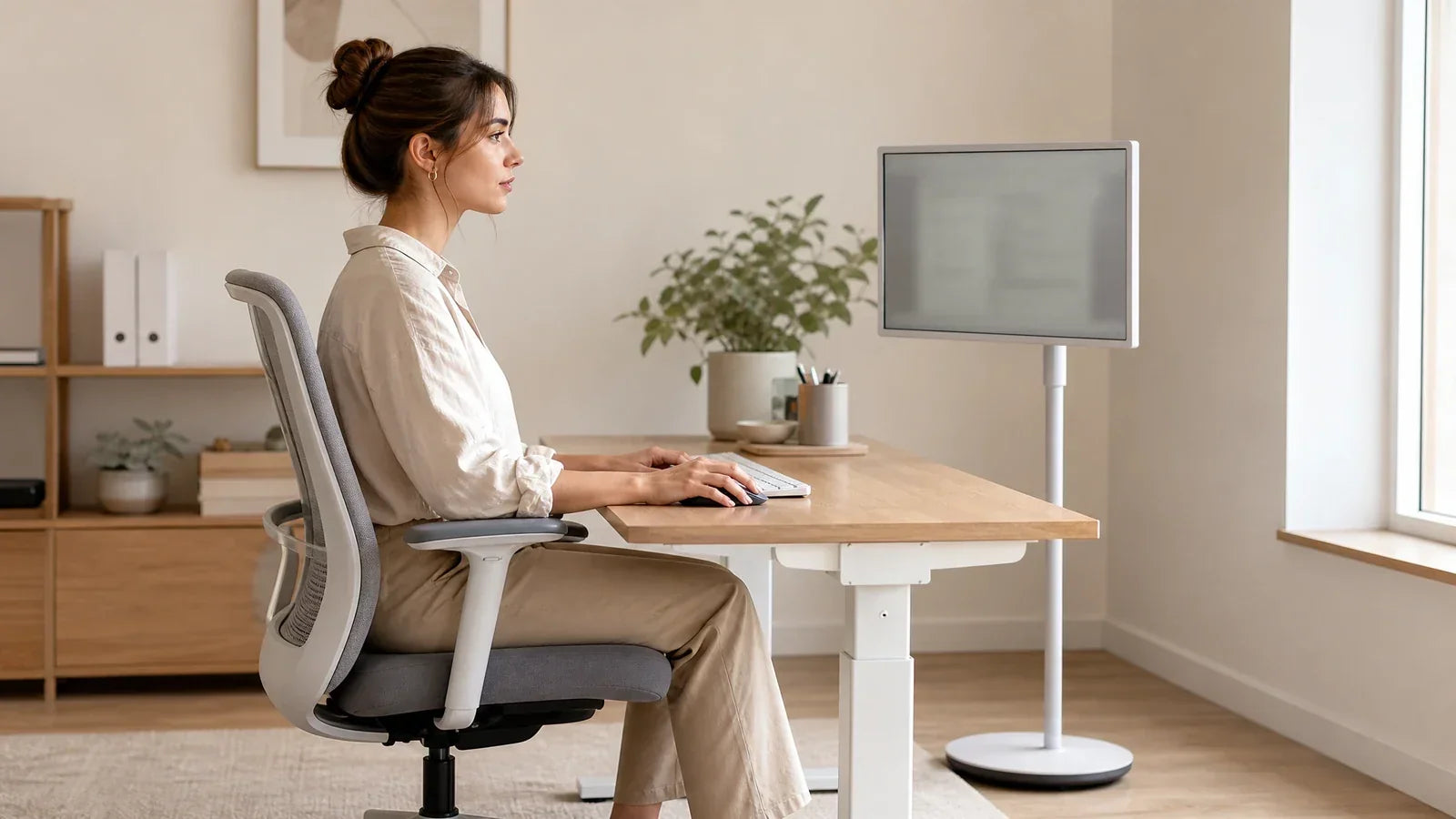
Tablets force users into a downward head tilt or awkward handheld posture. Conversely, a smart monitor sits at eye level or mounts onto an ergonomic adjustable stand. This elevated setup promotes healthy posture during long gaming, studying, or remote work sessions.
Core Display Specifications That Matter
| Display Factor | Why It Matters | Most Useful For |
| Refresh Rate | Ensures fluid camera panning and precise tracking when frame rates are high | Competitive FPS, sim racing, action titles |
| Response Time | Minimizes ghosting and motion blur around high-velocity objects and characters | Shooters, rhythm games, esports |
| 2K Resolution (QHD) | Strikes an ideal balance between crisp sharpness and GPU rendering performance | Hybrid gaming and productivity workflows |
| 4K Resolution (UHD) | Maximizes text sharpness, interface density, and high-fidelity textures | 4K streaming, AAA story games, creative editing |
| Screen Size | Enhances mini-map readability, subtitle clarity, and multi-user viewing | Console play, family entertainment, multitasking |
For streaming media, subtitles and high-resolution details remain sharp during group viewing across wide angles. A large touchscreen for productivity also creates a more natural video conferencing setup, framing multiple participants comfortably.
Built-In Android Ecosystem Simplifies Daily Smart Display Use
An integrated Android operating system eliminates unnecessary setup steps. A smart monitor runs streaming apps, web browsers, and productivity tools standalone without requiring a tethered computer.
Standalone Operation in Multi-User Spaces
In shared households, users can launch streaming channels, attend video conferences, browse online, or stream media directly. While tablets are restricted to single-user authentication and small screens, a standalone display is always ready for the entire room.
Essential Hardware Checks Before Buying
When selecting a touchscreen monitor, evaluate the following features:
- Google Play Store and app certification
- Dual-band Wi-Fi and Bluetooth connectivity
- Wireless casting and screen mirroring protocols
- HDMI, USB-C, and peripheral input ports
- Internal storage capacity
- Plug-and-play keyboard, mouse, and game controller support
Broad software compatibility ensures your daily entertainment and smart home apps run natively without extra dongles.
Where Android Excels
The built-in Android OS is ideal for streaming platforms, cloud dashboards, video conferencing, recipes, and casual browsing. For hardware-intensive PC gaming, software compilation, and complex video rendering, connecting a dedicated PC or gaming console remains the standard.

How a Large Touchscreen Enhances Multitasking for Work and Play
A large touchscreen for productivity significantly boosts multitasking by displaying multiple application windows simultaneously without cramped scaling. While tablets support split-screen modes, their smaller dimensions severely limit usable workspace.
Productivity and Remote Learning
A large touchscreen enables users to:
- Participate in video meetings while taking notes side by side
- Read research documents alongside active browser windows
- Display a full calendar dashboard next to project management boards
- Navigate, annotate, and pause media with intuitive touch gestures
Touch controls excel at rapid navigation and media management, while pairing a physical keyboard and mouse provides precision for typing and data entry.
Gaming Multitasking
During gaming sessions, a larger display accommodates supplementary companion tools. Players can easily keep build calculators open, monitor Discord channels, consult interactive game maps, or track hardware diagnostics alongside their game window.
Advanced Display Technologies to Consider
Adaptive Sync eliminates screen tearing and stutter by dynamically synchronizing refresh rates with GPU output across compatible hardware setups.
HDR technology enhances specular highlights, dark shadows, and vibrant color gamuts in high-contrast cinematic scenes when backed by capable panel luminance.
Local dimming dramatically enhances static contrast ratios and deep black levels by controlling backlight zones independently, minimizing halo artifacts around subtitles and HUD elements.
For competitive multiplayer games, raw refresh rates, rapid pixel response times, and minimal input latency take precedence over purely cinematic enhancements.
Where Tablets Retain Advantages for Portable and Personal Use
Tablets continue to excel when mobile portability is the primary requirement. A tablet remains effortless to slip into a backpack, hold in bed, or carry during travel.
Core Tablet Strengths
Tablets remain best suited for:
- Handheld e-book and digital document reading
- Private messaging and personal communication
- Stylus-based mobile sketching and handwriting
- Frequent travel and in-transit entertainment
- Casual handheld mobile gaming
Extended battery life and lightweight form factors make tablets uniquely suited for on-the-go mobility. They serve students and commuters who require immediate computing access outside the home.
Privacy and Account Isolation
Tablets provide superior personal privacy. Personal accounts, messaging apps, photos, and private browsing stay securely isolated to a single owner, whereas a large home display is optimized for communal access.
Smart Monitor vs. Tablet Comparison for Home Use
The ideal setup depends on your gaming preferences, room dimensions, and hardware budget. Compare total costs, including mounting stands, input accessories, and connected devices.
| User Profile | Recommended Setup | Primary Advantage |
| Competitive esports player | High-refresh gaming display or smart monitor | Broad field of view, high refresh rate, minimal motion blur |
| Bedroom console gamer | Smart monitor | Integrated smart OS, low latency, controller support |
| Strategy and RPG enthusiast | Large smart touchscreen | Ample screen area for HUDs, maps, and guides |
| Frequent commuter/traveler | Tablet | Compact, lightweight, battery-powered portability |
| Family entertainment room | Smart touchscreen display | Wide viewing angles, shared streaming, interactive touch |
| Reader and digital artist | Tablet | Natural handheld ergonomics and stylus precision |
Gaming Performance Considerations
Esports players require high refresh rates and low response times. While a larger panel improves peripheral target detection, pixel transitions must remain crisp to avoid ghosting.
Racing and combat games rely on stable physical mounting and low input latency, where a large screen makes apex corners and frame-by-frame animations easy to anticipate.
Visual AAA titles benefit heavily from 4K resolution, wide color gamuts, and HDR tone mapping. Note that 4K rendering requires substantial GPU compute power to sustain high frame rates.
Space and Budget Allocation
Factor complementary accessories into your budget. Tablets often require supplemental cases, stands, and stylus pens. Large stationary displays require dedicated desk or floor space and compatible input peripherals for 4K gaming.
The most economical setup minimizes redundant accessories by matching your core daily use case.
Select the Right Display Ecosystem for Your Daily Routine
A smart monitor is the ultimate solution for households needing an expansive, shared interactive canvas for gaming, streaming, video conferencing, and light office productivity. Meanwhile, a tablet remains the premier choice for travel, private communications, and handheld reading. Evaluate your available space, lifestyle habits, and gaming demands to invest in the display that delivers seamless everyday versatility.
Frequently Asked Questions
Q1. Can a smart monitor completely replace a tablet?
Yes. A smart monitor can replace a tablet for stationary home applications such as streaming media, browsing, video calls, gaming, and remote learning. However, a portable tablet remains superior for travel, handheld reading, and on-the-go mobility.
Q2. Is a touchscreen monitor effective for home office productivity?
Yes. A touchscreen monitor provides a spacious visual canvas for managing multiple documents, calendars, communication boards, and video conferences simultaneously, especially when paired with a wireless keyboard and mouse.
Q3. Are smart monitors suitable for gaming?
Yes. Modern smart monitors provide low input lag, high refresh rates, and versatile HDMI/USB-C connectivity compatible with PC rigs and next-gen gaming consoles.
Q4. What screen size is best for a home smart monitor?
A display between 27 and 32 inches offers the ideal balance of desk ergonomics and shared entertainment. A 27-inch model suits compact workstations, while a 32-inch 4K screen delivers greater immersion for 4K streaming and multitasking.
Q5. Does a smart monitor require a connected PC to function?
No. Built-in operating systems like Android and Google TV allow smart monitors to stream media, run productivity apps, and browse the web independently without an external PC.