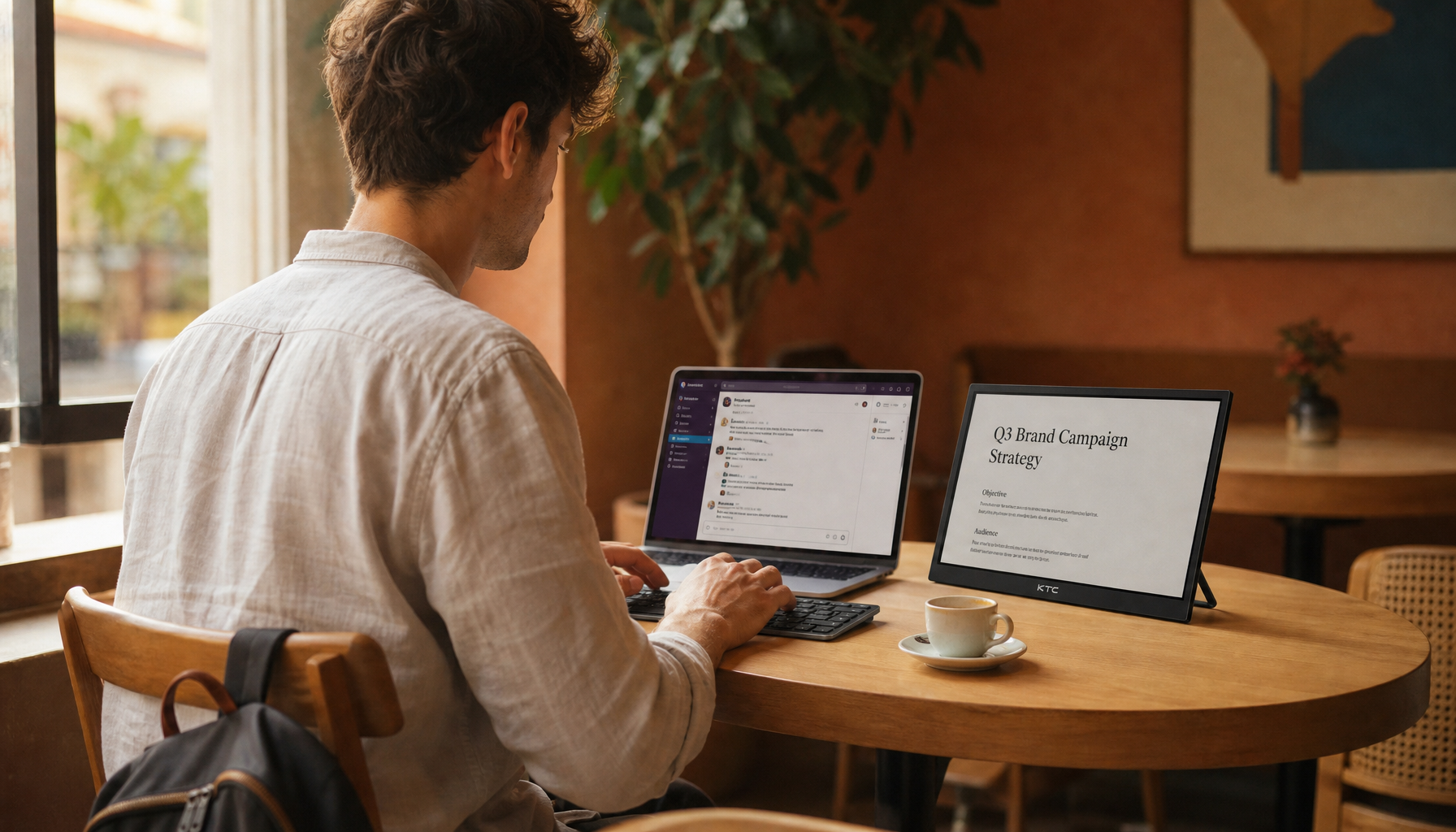
Portable monitors bring dual-screen productivity to kitchens, coworking tables, hotel rooms, and small apartments without locking workers into one desk.
Ever finish a video call on your laptop, then spend the next ten minutes digging through tabs to find the spreadsheet you were discussing? The payoff is easy to test: keep your main task on one screen and your reference material, chat, or call on the other, then count how often you stop hunting for windows. Here is how to decide whether a portable monitor beats a fixed dual-screen setup for your real workday.
The Shift Is About Control, Not Just Portability
A fixed dual-monitor desk is still powerful. If you sit at the same workstation every day, two 27-inch displays or a 34-inch ultrawide can deliver generous workspace, strong ergonomics, and better image quality than most travel screens. Current business monitor coverage still highlights large ultrawide and hub-style displays because business monitor setups can combine conferencing, charging, USB hubs, and wide multitasking space in one polished desktop system.
The problem is that many workers no longer have one real desk. Hybrid schedules, shared apartments, small home offices, coworking days, and business travel make fixed monitors feel underused or physically inconvenient. A portable monitor gives you a second screen that follows the laptop instead of the room.

In practical terms, that changes the equation. A fixed dual-screen setup optimizes one location. A portable display optimizes continuity. If your job moves between a dining table, office touchdown desk, and client site, the more valuable feature may be repeatable screen space rather than maximum screen size.
What Counts as a Portable Monitor?

A portable monitor is a slim external display designed to connect to a laptop, cell phone, console, or small PC while staying light enough to carry and store. Most models sit between 14 and 16 inches, use USB-C or mini-HDMI, and focus on fast setup rather than deep desk integration.
For productivity, the sweet spot is usually a 15.6-inch 1080p IPS display with USB-C DisplayPort Alt Mode. Current buying advice notes that today’s portable monitor category stretches from budget 1080p models to 4K, touch, wireless, battery-powered, and high-refresh options, but still centers on device compatibility and a usable stand before flashy specifications.
That matters because the best portable monitor is not the one with the longest spec sheet. It is the one that turns on reliably, sits at a workable angle, shows text clearly, and does not drain your laptop before lunch.
Why Portable Monitors Feel More Efficient
The first productivity gain is simple: fewer window swaps. When a worker can keep a document on the laptop and a spreadsheet, dashboard, code preview, meeting window, or research material on the second screen, the work becomes more visible and less interruptive.
One monitor maker promotes multi-monitor work around productivity and flexibility, citing a claimed 42% increase in productivity from using multiple monitors. Treat that number as directional rather than universal because the page is product-oriented, but the underlying behavior is easy to verify: context switching costs time, and visible context reduces the need to switch.
A practical example is a weekly reporting workflow. Put the dashboard on the portable monitor and the report draft on the laptop. Instead of flipping between tabs for every metric, you can compare, type, and verify in one glance. That is not magic; it is lower friction.

Why Workers Are Leaving Fixed Dual Screens Behind
Fixed dual-screen setups ask for desk depth, cable routing, power outlets, monitor arms, and consistent seating. That is manageable in a dedicated office, but it becomes a tax in a shared home or flexible workspace.
A discussion of multi-monitor setups makes the tradeoff clear: two or three screens can improve multitasking, but they also bring desk-space, alignment, hardware, and ergonomic demands. A good fixed setup often needs monitor arms to raise screens, clear surface area, and reduce neck or back strain.
Portable monitors reduce the commitment. You can store the whole setup in a drawer, use it on a 3 ft dining table, and pack it with a laptop when the workday moves. For renters, frequent travelers, students, consultants, and hybrid employees, that flexibility can be more valuable than another 27-inch panel that only helps on days spent at home.
The Real Ergonomic Catch
Portable does not automatically mean comfortable. Many thin displays ship with folding covers or weak kickstands that place the screen too low. That encourages the same posture problem workers are trying to escape: shoulders forward, neck bent, eyes down.
One ergonomic critique points to the actual failure mode: portable monitors often create strain when they sit flat beside a laptop. A better setup raises and aligns the screen with the user’s body, and the page references Cornell ergonomics guidance that the top of a computer screen should be near eye level.
A reliable portable setup needs a stable stand, a separate keyboard, and screen positioning that keeps your head mostly forward. If you use the portable monitor for two hours or more, treat the stand as part of the display, not an accessory. A $70.00 screen on a bad stand can feel worse than a laptop alone.

Portable Monitor vs Fixed Dual-Screen Setup
Setup choice |
Best fit |
Main strength |
Main compromise |
Portable monitor |
Hybrid workers, travelers, small spaces, shared desks |
Dual-screen workflow anywhere |
Smaller screen and weaker stands on some models |
Fixed dual monitors |
Dedicated desks and daily office use |
Large workspace and strong ergonomics when mounted well |
Requires space, cables, arms, and commitment |
Ultrawide monitor |
Analysts, editors, coders, finance dashboards |
Wide uninterrupted workspace |
Not portable and needs desk depth |
Laptop only |
Short sessions and light tasks |
Simplest setup |
More tab switching and cramped multitasking |
What Specs Actually Matter?
For most office workers, start with a 14- to 16-inch IPS panel, 1080p resolution, USB-C DisplayPort Alt Mode, and enough brightness for your workspace. One productivity article argues that a 14- to 15.6-inch portable monitor pairs well with ultrabooks, while USB-C with DisplayPort Alt Mode is the priority connection because it can carry video and power through one cable.
Do not overbuy 4K just because it sounds premium. On a small portable screen, 1080p is often easier to run, easier on battery, and readable without aggressive scaling. Higher resolution makes sense for creative review, dense spreadsheets, or sharp text preferences, but it should be matched with brightness, color accuracy, and operating-system scaling that you can tolerate all day.
Brightness is more important than many buyers expect. A dim portable display may look fine at night and washed out beside a bright window. If your second screen will be used in airports, coffee shops, or sunny rooms, prioritize brightness and anti-glare treatment before touch features.
The Energy and Cable Advantage
Portable monitors can also support cleaner, lower-power workstations. One sustainability article reports that portable monitors often use about 5 W to 15 W, while many traditional LCD monitors may use 25 W to 60 W or more, making portable monitors a sensible option for lean workspaces.
The cable benefit is just as practical. A USB-C portable monitor can often run from one cable, while some models support pass-through charging so your wall charger powers both the laptop and the screen. In a small apartment or shared office, removing one power brick and one display cable can be the difference between a setup you use daily and one you stop assembling after a week.
When a Fixed Setup Still Wins
Portable monitors are not replacements for every professional desktop. If you spend eight hours a day at one desk, edit color-sensitive media, manage huge spreadsheets, or want a highly immersive command center, a fixed monitor still has advantages.
Productivity monitor advice emphasizes desktop real estate, pixel density, refresh rate, and ergonomics, with 27-inch 4K, 32-inch 4K, and 34-inch ultrawide options giving workers far more room than a portable screen. For a permanent desk, ultrawide productivity can be cleaner than juggling separate displays, especially when the monitor includes USB-C charging and strong height adjustment.
The honest answer is that portable monitors win mobility and setup speed, while fixed displays win scale and comfort when space is available. The wrong move is buying based on category hype instead of where you actually work.
A Practical Buying Rule
Choose a portable monitor if your work location changes at least twice a week, your desk space is temporary, or your laptop is your main computer. Choose a fixed dual-screen setup if your desk is stable, your sessions are long, and you can mount screens at the right height.
For most hybrid workers, the best value setup is a strong laptop, one portable 15.6-inch USB-C monitor, a compact stand, and a small keyboard and mouse. Keep the kit together so setup takes under a minute. Use Extend mode, place your active task on the sharper or more comfortable screen, and reserve the second screen for reference material, chat, calls, or monitoring.

FAQ
Is a portable monitor good enough for full-time work?
It can be, especially for writing, coding, meetings, research, dashboards, and document review. For full-time use, the stand and screen height matter as much as resolution. If you cannot raise it near eye level, a fixed monitor or monitor arm will be more comfortable.
Is 1080p enough on a portable monitor?
Yes, for most 14- to 16-inch productivity displays. Text density is reasonable, battery impact is lower than many high-resolution options, and compatibility is broad. For creative work or dense data, QHD or 4K can help, but only if brightness, scaling, and color quality are also strong.
Should I buy one portable monitor or two?
Start with one. A single portable display solves the biggest laptop limitation without adding much weight or desk complexity. Two portable screens can help specialized workflows, but they start to recreate the setup burden that made fixed dual monitors inconvenient.
The Bottom Line
More workers are choosing portable monitors because modern productivity is no longer tied to one desk. A fixed dual-screen setup still delivers the biggest canvas, but a well-chosen portable monitor delivers something many workers need more: a reliable second screen wherever the work happens.