
In 2026, many prosumers face a clear choice when upgrading to a premium 32-inch-class monitor: the unmatched motion clarity and infinite contrast of a 4K 240Hz OLED, or the superior workspace density and sustained brightness of a 5K Mini-LED. The right pick depends on whether your daily workflow prioritizes visual fluidity during fast gaming and media, or visual stability for long hours of text-heavy design, coding, and productivity on the same screen.

The 2026 Endgame Dilemma: Speed vs. Resolution
The traditional “gaming versus work” framing no longer captures how most informed buyers actually use a single high-end display. Competitive players often edit footage or code between matches, while designers and video editors frequently unwind with fast-paced titles. The real decision in 2026 is between visual fluidity—near-instant pixel response, perfect blacks, and high refresh rates that make motion feel effortless—and visual stability—crisp text at native scaling, high sustained brightness for bright rooms, and freedom from long-term degradation worries.
Dual-mode monitors that toggle between high-resolution native output for work and lower-resolution ultra-high refresh for gaming represent the industry’s attempt to bridge this gap. Yet most users still end up favoring one strength over the other. Understanding where each technology truly excels—and where its hidden daily frictions appear—helps you avoid buyer’s remorse on a multi-hundred-dollar purchase.
Where 4K 240Hz OLED Wins: Motion Clarity and Immersion
OLED panels deliver near-instant pixel response times, typically around 0.03 ms gray-to-gray. This speed produces motion clarity that high-refresh Mini-LED or LCD panels struggle to match even at 360 Hz or higher, because the pixels turn completely off between frames rather than lingering. For competitive gaming or watching fast-action films in a controlled dark room, the result feels more responsive and immersive. This analysis of OLED gaming monitors highlights how that near-zero response time translates into reduced perceived blur.

Infinite contrast is the second major advantage. Because each pixel emits its own light and can turn fully off, OLED achieves true black levels with no light bleed. Dark-room HDR content looks dramatically better, with bright highlights popping against inky backgrounds instead of competing with blooming around bright objects.
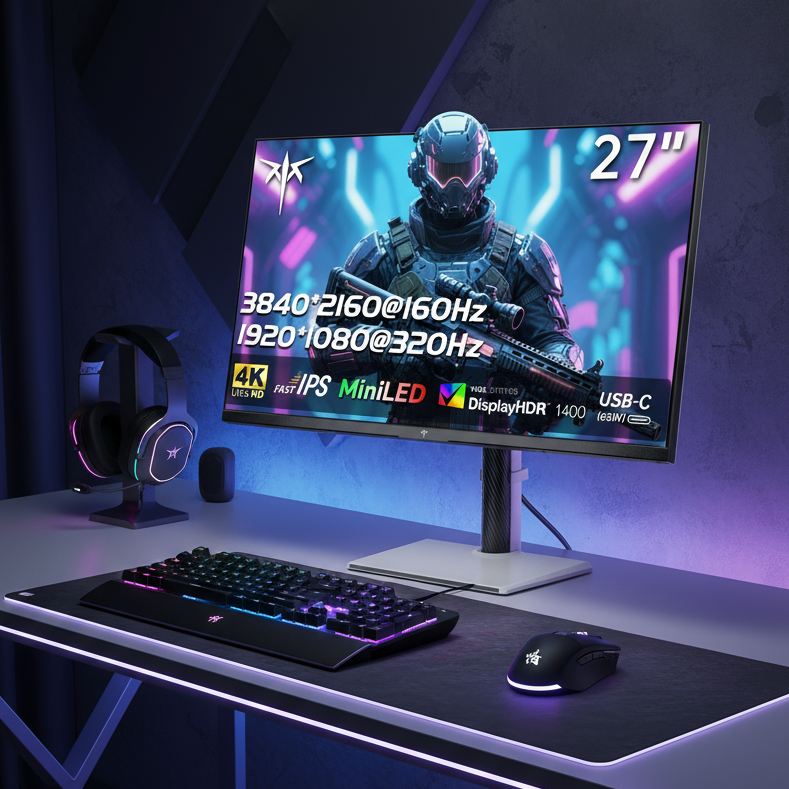
Many 2026 OLED models now include dual-mode capabilities, letting you switch between 4K at 160–240 Hz for sharp console or single-player gaming and 1080p at 300–480 Hz for competitive titles. This versatility can feel like owning two monitors. For readers interested in resolution trade-offs in esports, see our guide on 4K for Competitive Gaming: A Performance Advantage or Disadvantage?. Higher refresh rates also reduce sample-and-hold blur, though they do not eliminate it entirely—our article on What Is Sample-and-Hold Blur and Why Higher Refresh Rates Don’t Eliminate It? explains the mechanism.
Where 5K Mini-LED Wins: Workspace Density and Text Clarity
At 27 inches, a 5K panel reaches roughly 218 pixels per inch. That density aligns with Apple’s Retina standard, enabling crisp native 2× scaling in macOS and Windows without the fractional scaling shimmer many users notice on 32-inch 4K displays (around 140 PPI). Text, UI elements, and fine design details appear noticeably sharper, reducing eye strain during long coding or photo-editing sessions. Community discussions on professional workspaces frequently cite this advantage when comparing 5K and 4K for text-heavy work.
Standard RGB subpixel layouts on most Mini-LED panels also avoid the faint color fringing sometimes visible on certain OLED subpixel arrangements. Combined with sustained brightness often exceeding 1,000 nits, 5K Mini-LED panels handle bright-room productivity and HDR content without the automatic brightness limiter (ABL) that can cause OLED screens to dim suddenly when large bright areas appear. Our deeper look at What Subpixel Layout Is and Why RGB and RGBW Panels Look Different shows why subpixel design directly affects perceived sharpness in office applications.
The 'Invisible' Frictions: Blooming vs. Burn-In
Both technologies carry real-world annoyances that spec sheets rarely mention. Mini-LED’s local dimming zones can produce a halo or blooming effect around bright UI elements on dark backgrounds—particularly noticeable in dark-mode code editors or design tools. The severity depends on the number of zones and algorithm quality, but the “toggle tax” of switching local-dimming settings can become a daily irritation. Our article on What “Local Dimming Zones” Mean in Monitor Backlight Technology explains how zone count influences these artifacts.
OLED’s primary long-term concern remains burn-in risk when static UI elements (taskbars, docks, or IDE toolbars) remain on-screen for many hours daily. While 2026 mitigation features such as pixel shifting, screen savers, and brightness limiters have improved the situation, heavy static use over years can still cause visible degradation. OLED also triggers ABL during desktop work when bright windows are resized or moved, causing the entire screen to dim temporarily. Some users notice subtle color fringing on text due to subpixel layout.
Workflow Friction Comparison: OLED vs Mini-LED
Use this chart to see which artifact is more likely to get in the way of your workflow. Higher tiers mean the issue is more noticeable in day-to-day use.
View chart data
| Scenario | Burn-in Risk | Blooming | Text Fringing | ABL Dimming |
|---|---|---|---|---|
| 4K 240Hz OLED | 2.0 | 0.0 | 2.0 | 2.0 |
| 5K Mini-LED | 0.0 | 2.0 | 0.0 | 0.0 |
This heatmap clarifies the dominant friction for each panel type. OLED concentrates risk in burn-in anxiety, text fringing, and ABL behavior. Mini-LED concentrates risk in blooming during dark interfaces. Choose the panel whose primary drawback you can most easily tolerate for eight hours a day.
Spec-Per-Dollar: Valuing Motion vs. Workspace Density
Rather than comparing sticker prices, evaluate utility density. A 5K panel delivers roughly 77 % more pixels than 4K at the same screen size, providing genuine workspace value for creators who keep multiple palettes, timelines, and reference windows open. That extra density can justify the premium if your workflow benefits from native scaling and razor-sharp typography every day.
OLED’s value lies in motion precision and contrast per dollar. Its pixel-level control delivers HDR impact that even high-zone-count Mini-LED panels cannot fully replicate in dark scenes. VESA DisplayHDR 1400 certification sets a clear benchmark: panels must reach 1,400 nits peak brightness with wide color coverage. Many premium Mini-LED models target this standard for bright-room HDR, yet OLED often feels more “precise” because it avoids any zone-related blooming.
Dual-mode designs add another dividend. A monitor that can drop to 1080p at very high refresh rates effectively functions as two different displays, improving the effective value for hybrid users. Our earlier comparison of MiniLED vs. OLED: Which Display Technology Wins for Gaming in 2025? explores similar value questions with 2025 data that still applies to 2026 purchasing logic.
Making Your Decision: Which 2026 Endgame Fits You?
Choose the 5K Mini-LED route if more than six hours of your day involve static UI elements, bright-room work, or text-critical tasks such as design, coding, or document editing. The higher pixel density, sustained brightness, and zero burn-in risk deliver better long-term comfort and lower ownership friction for these workflows. Models like KTC’s H27P3 27-inch 5K office monitor exemplify this productivity-first approach with excellent color accuracy and sharp scaling.
Choose the 4K 240Hz OLED route if your primary joy is dark-room gaming, competitive play that rewards motion clarity, or immersive media consumption. The near-instant response, perfect blacks, and high-refresh fluidity create a noticeably more engaging experience that Mini-LED panels cannot yet match. KTC’s OLED gaming monitors in the All-OLED collection provide strong examples of this performance focus.
For mixed use, weigh your tolerance for blooming against your tolerance for burn-in management and ABL behavior. If you cannot decide, test both in a store or with a generous return window. Many buyers ultimately keep the panel that minimizes the single annoyance they notice most during their longest daily sessions. Explore the full All-Mini-LED Monitors and 240Hz-400Hz Monitors collections to see current options that align with each path.
FAQs
Is OLED burn-in still a serious concern in 2026?
Burn-in remains a mitigated but real risk for users who keep static UI elements visible more than six hours daily. Modern pixel-shifting, logo dimming, and brightness-limit features have improved longevity, yet heavy desktop users should still factor potential long-term degradation into the purchase decision. Mini-LED eliminates this worry entirely.
Does 5K resolution actually improve text clarity enough to justify the price?
For many designers, coders, and Mac users, yes. The jump to roughly 218 PPI at 27 inches enables native 2× scaling that removes fractional scaling artifacts common on 32-inch 4K panels. If your workflow involves reading small fonts or precise vector work for hours, the difference is noticeable and reduces fatigue.
How important is HDR performance when choosing between these panels?
HDR value depends on your room and content. OLED delivers superior contrast and true blacks ideal for dark-room viewing. Mini-LED often reaches higher sustained brightness (frequently targeting VESA DisplayHDR 1400 levels), making it stronger in bright rooms. Test both with the content you actually watch or edit.
What GPU power do I need to drive either display effectively?
A high-end 2026 GPU is recommended for either. 4K at 240 Hz demands substantial frame-rate output for competitive titles, while 5K at even 60–120 Hz pushes high pixel counts for smooth productivity and creative apps. Dual-mode OLEDs can reduce the load by dropping resolution for esports titles.
Should I buy a dual-mode monitor to get the best of both worlds?
Dual-mode designs help hybrid users by letting you switch between high-resolution work modes and ultra-high-refresh gaming modes. However, they usually compromise on one axis—either peak brightness, zone count, or pixel density. They are a good middle ground only if your workflow splits roughly 50/50 and you can accept the trade-offs in each mode.
Which technology is better for bright-room productivity?
Mini-LED generally performs better in bright rooms thanks to higher sustained brightness and no ABL dimming when large white windows appear. OLED can still be used but may require careful brightness management and bias lighting to reduce perceived washout and ABL triggers.