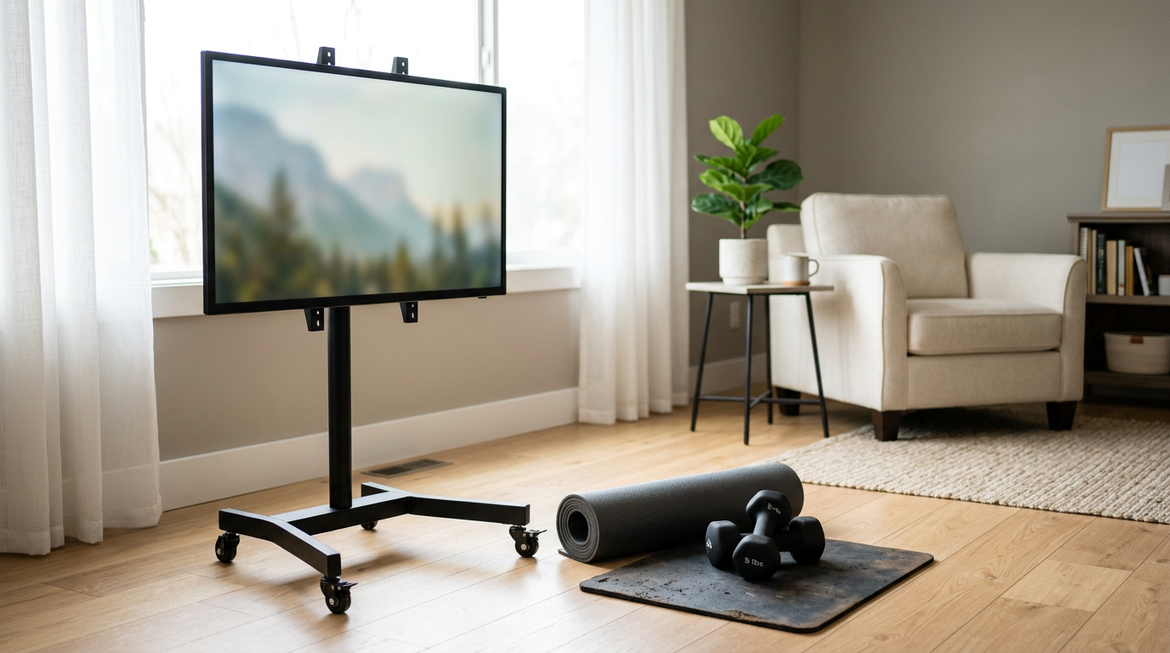
A single rolling smart screen can replace the need for a fixed kitchen TV and a small tablet by delivering a large 4K display that moves easily between rooms. The MEGAPAD's combination of mobility, height adjustment, and included remote control addresses the core frustrations of stationary screens and hygiene concerns in multitasking households.

Why a Shared Smart Screen Beats Fixed TVs and Small Tablets
Fixed TVs mounted in kitchens are often positioned too high or at awkward angles for active cooking, forcing you to crane your neck while following a recipe. Small tablets, while portable, lack the screen size needed for comfortable group viewing in the living room or clear visibility from a few feet away during meal prep.
A 32-inch 4K display strikes a practical balance, offering enough real estate for detailed recipe text or immersive streaming without dominating limited counter space. This size makes it easier for multiple people to see instructions or enjoy content together, reducing the need for multiple devices that clutter your home. For households that shift between cooking, streaming, and casual browsing, one versatile unit simplifies daily routines and cuts down on cable management.
Many families find that dedicated kitchen screens collect dust between uses, while living-room TVs stay anchored in one spot. The mobility of a rolling stand changes that equation, letting you bring the display exactly where it's needed without permanent installation.
Optimizing the 'Sit-Stand Shift' for Room Transitions
When you move from a low sofa in the living room to a higher kitchen counter, your viewing height can change by roughly 4 to 8 inches. Maintaining the top of the screen near eye level helps reduce neck and shoulder strain during these posture shifts, according to ergonomics guidance from Safe At Work California.
The A32Q7 Pro's 200 mm (about 7.8 inches) of height travel, ranging from 1131 mm to 1331 mm, is designed to accommodate this common transition. Adjust the height first when rolling between rooms, then fine-tune the swivel to minimize glare from kitchen lights or windows. This sequence keeps the screen comfortably positioned whether you're seated for family entertainment or standing to follow a cooking video.
In practice, many users forget to readjust after moving the screen, leading to downward head tilt that builds fatigue over time. Taking 10 seconds to raise or lower the display during each room change helps preserve comfortable viewing and supports longer sessions without discomfort.
The chart below helps visualize the likely pattern in typical setups and shows how the height range aligns with common room transitions.
Sit-Stand Shift: Where the MEGAPAD Adjustment Range Fits
This chart helps visualize the likely pattern in typical setups and shows how the height range aligns with common room transitions.
View chart data
| Category | Lower bound | Upper bound |
|---|---|---|
| Sofa seated eye height | 100.0 | 110.0 |
| MEGAPAD adjustment range | 113.0 | 133.0 |
| Kitchen counter standing height | 115.0 | 130.0 |
Maintaining Hygiene: The 'Clean-Touch' Kitchen Protocol
Touchscreens can pick up bacteria and food residue during meal preparation, creating a potential cross-contamination risk if hands aren't washed after every interaction. Research from Safefood highlights how smart devices in kitchens require careful hygiene practices to avoid transferring germs from raw ingredients to other surfaces.
The included remote control and wireless mouse act as practical barriers, letting you pause a video, adjust volume, or switch apps without touching the screen while handling food. A simple workflow works well: use touch controls during initial setup when hands are clean, switch to the remote for active cooking, and wipe the screen with a dry microfiber cloth afterward.

This approach minimizes direct contact during messy tasks and extends the time between deep cleans. Many households regret skipping the remote habit because fingerprints and residue build up quickly on a frequently touched display. Keeping the remote within arm's reach on the counter makes the clean-touch routine second nature.
Placement and Safety: Protecting Your Screen in the Kitchen
Kitchens contain heat sources that can affect electronics over time. Operating displays near active stoves or ovens where ambient temperatures exceed 85°F may shorten component life, so maintain at least 3 to 5 feet of distance from ranges as a conservative guideline (BDI guidance on electronics and heat).
Steam from boiling pots poses another risk to non-specialized electronics, so avoid placing the screen directly above or beside high-moisture areas. The MEGAPAD's 360-degree swivel wheels let you roll the stable base into a safer corner or against a wall while keeping the display visible from your workspace.
Check your layout for spill zones near sinks or prep areas before finalizing position. Positioning the unit on hard flooring or low-pile rugs improves mobility and reduces tipping risk during movement. These steps help protect the device without limiting its usefulness for recipe following or background entertainment.
Is a Rolling Smart Screen Right for Your Household Setup?
Before committing to a shared rolling screen, evaluate a few practical factors specific to your space. First, confirm your floor transitions: the wheels perform best on hard surfaces or low-pile rugs and may struggle with thick carpets or uneven thresholds between rooms.
Next, measure your key furniture heights. The adjustable range of 1131 mm to 1331 mm should align reasonably with your sofa viewing height and counter level; if your counters are unusually tall or sofas very low, you may need to test the fit in person. Consider your typical workflow too—if you frequently cook with oily hands or generate heavy steam, the clean-touch protocol using the remote becomes even more important.
The MEGAPAD suits households that value flexibility and ergonomic comfort over a permanently mounted TV. It works especially well for busy families who move between cooking, streaming, and video calls in different areas. However, if your home has many level changes, extreme counter heights, or you prefer zero-maintenance fixed installations, dedicated devices in each room may create less daily friction.
Check your primary use cases against these points: frequent room-to-room shifts, need for large-screen recipe visibility, and willingness to follow simple hygiene habits. When those align, a single versatile unit often proves more convenient than managing separate screens.
Frequently Asked Questions
Can the MEGAPAD handle both cooking videos and living room streaming without performance issues?
Yes, the 4K resolution and Android operating system support smooth streaming from major apps in both environments. The built-in battery provides up to 11 hours of use, so you can move between rooms without constant recharging as long as you start with a full charge. Keep in mind that very bright kitchens may require lowering ambient lights for optimal screen visibility.
How difficult is it to roll the screen over door thresholds or carpet edges?
The 360-degree wheels make movement straightforward on hard floors, but thicker carpets or raised thresholds can require a slight lift or momentum. Most users find that clearing small obstacles becomes routine after a few transitions, though homes with many level changes may benefit from testing the unit first.
Does the remote control eliminate the need for screen cleaning during cooking?
The remote significantly reduces touch interactions, but occasional cleaning with a dry microfiber cloth is still recommended to remove airborne particles or accidental smudges. Following the clean-touch sequence keeps maintenance minimal compared to constant hand contact.
What floor types work best for the rolling stand?
Hardwood, tile, and low-pile rugs offer the smoothest experience. Avoid high-pile carpets or rugs with thick fringes, as they can impede wheel movement and increase tipping risk when the screen is raised to full height.
Is the MEGAPAD suitable for homes with young children?
The stable wheeled base and remote reduce direct interaction needs, but adult supervision remains important near kitchen counters. The height adjustment helps position the screen safely out of reach when not in active use, though the unit is not designed as a dedicated child-safety device.
How long does the battery last during mixed kitchen and living room use?
Runtime varies with brightness and content type, typically ranging from 7 to 11 hours. Streaming video at moderate brightness in both rooms often falls in the middle of that range, making it practical for most evening routines without mid-use charging.