


On most monitors, 4K and UHD usually mean the same thing: 3840 x 2160. The term 2160p is related, but it only tells you the screen is 2160 pixels tall, not the full shape of the image.
If you have ever opened two monitor listings that both promise “4K” but one says “UHD” and another says “2160p,” it is easy to assume the labels are interchangeable and stop there. In real setups, the more important differences usually show up in aspect ratio, scaling, and whether your computer can still hit the refresh rate you want. This guide will help you read those labels correctly and pick the right display for gaming, work, ultrawide use, or a portable second screen.

The Short Answer: Where 4K, UHD, and 2160p Overlap
On most monitor product pages, UHD means 3840 x 2160, and brands often market that same resolution as 4K. That consumer-standard format uses a 16:9 aspect ratio and packs about 8.3 million pixels, which is why a 4K monitor gives you four times as many pixels as a 1920 x 1080 display.
The technical wrinkle is that true cinema 4K is 4096 x 2160 rather than 3840 x 2160. Both share the same 2160-pixel height, but true cinema 4K is 256 pixels wider and uses a slightly wider cinema-oriented shape. For monitor buyers, that means “4K” is sometimes a broad family name, while “UHD” is the specific version you will usually see on gaming monitors, office displays, and portable monitors.
The easiest way to think about it is this: on consumer monitors, “4K” is usually shorthand for UHD, while “2160p” is only a partial description.
Label |
Typical resolution |
Aspect ratio |
Total pixels |
Most common use |
What it does not tell you |
4K UHD |
3840 x 2160 |
16:9 |
8,294,400 |
Consumer monitors, TVs, consoles |
Refresh rate, panel quality, scaling comfort |
Cinema 4K |
4096 x 2160 |
About 1.90:1 |
8,847,360 |
Digital cinema and post-production |
Whether it fits standard 16:9 gaming workflows |
2160p |
2160 pixels tall, progressive scan |
Varies |
Varies |
Video menus and shorthand marketing |
Exact width and aspect ratio |
5120 x 2160 ultrawide |
5120 x 2160 |
21:9 |
11,059,200 |
Ultrawide monitors |
Whether it is “UHD” in the usual 16:9 sense |
Why 2160p Is Not a Complete Monitor Spec
Monitor resolutions are just pixel grids, and 3840 x 2160, 4096 x 2160, and 5120 x 2160 can all share the same 2160-pixel height while behaving very differently on a desk. That is why 2160p is not a full monitor spec: it tells you the vertical count, but not the width, total pixel load, or aspect ratio.
In common 16:9 video workflows, 2160p (4K) is listed as 3840 x 2160, which is one reason many shoppers assume 2160p always equals UHD. Outside that standard case, the label can still describe a wider image. A 21:9 ultrawide with 5120 x 2160 has the same height as UHD, but it gives you much more horizontal workspace and asks more from your graphics hardware.
That distinction matters even more on smaller displays. If a portable monitor listing only says “2160p,” you still need the exact pixel dimensions before you know whether you are buying a standard 16:9 travel screen, a cinema-shaped panel, or a wider ultrawide-style layout. For real buying decisions, “2160p” should prompt one follow-up question: “2160 pixels tall at what width?”
What Actually Changes Between UHD and True 4K
True 4K adds 256 horizontal pixels over UHD, moving from 3840 x 2160 to 4096 x 2160. On paper that sounds significant, but on typical 27-inch to 32-inch desktop monitors the visible difference is usually much smaller than the spec-sheet difference suggests. In practice, the larger change is shape: UHD fits the standard 16:9 desktop and console ecosystem, while the cinema-standard 4K format is slightly wider.
That standardization matters because 3840 x 2160 is the recommended 16:9 2160p format for mainstream playback. Games, streaming apps, capture gear, and most monitor firmware expect 16:9 behavior, so UHD is the safer and more predictable target for everyday use. If you buy a gaming monitor labeled “4K 144Hz,” it almost always means 3840 x 2160, not true cinema 4K.
Cinema and finishing workflows are where the broader definition still matters. 4K-class masters can use multiple raster sizes, including 4096 x 2160 and 4096 x 1716 depending on delivery. That is useful for cropping, post-production, and theatrical delivery, but it is usually not the deciding factor when you are choosing a monitor for computer gaming, office work, or a portable wired setup.
For Gaming Monitors, Resolution and Refresh Rate Pull in Different Directions
A 4K UHD panel pushes 8,294,400 pixels, compared with 3,686,400 for 2560 x 1440. That much extra pixel load is why 4K looks sharper for textures, HUD elements, and text, but it is also why your graphics hardware has to work harder. More image detail is great, but it often costs you frames unless the rest of your system is built for it.

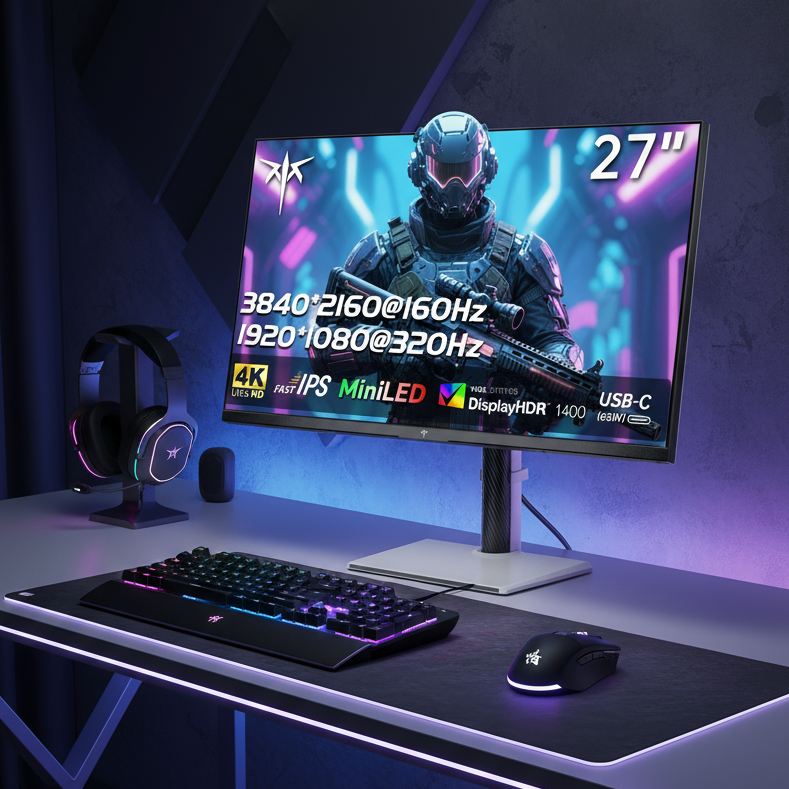
That is also why a product page such as the 27” 4K 160Hz/320Hz 90W Gaming Monitor from a brand still needs a full spec check before you judge fit. The 4K label alone does not explain refresh-rate demands, panel behavior, or connectivity limits.
One real-world monitor-buying example described a computer that could run 3840 x 2160 at 60 FPS but could reach about 100 FPS at 3440 x 1440 instead. That gap explains why high-refresh-rate buyers often choose 1440p before they choose 4K. If you mostly play competitive shooters, MOBAs, or fast action games, a 1440p 165Hz or 240Hz display may feel better than a 4K screen that forces larger compromises in graphics settings or frame rate.
Ultrawide monitors are often easier to run at high refresh rates than 4K, and they can feel more immersive in racing and FPS games because of the added horizontal field of view. The tradeoff is compatibility: some titles still mishandle 21:9 or 32:9, and consoles usually output a 16:9 image with black bars on ultrawides. If you split time between computer and console gaming, standard UHD is usually the more straightforward choice.
Resolution Labels Matter Less Than the Full Spec Sheet
A 27-inch 4K monitor sits around 164 PPI, while a 32-inch 4K model is about 138 PPI. That is why 4K text can look exceptionally clean, especially for productivity and content work. It is also why scaling becomes part of the buying decision, because the sharpness benefit is less useful if menus and text are too small at your normal desk distance.
One hands-on comparison between a 3440 x 1440 ultrawide and a 32-inch 4K monitor found that 150 percent scaling on the 4K screen still left more usable, readable space for work, while 16:9 also worked better for full-screen sharing. That matches what many mixed-use buyers notice in practice: a standard 4K monitor often behaves better for documents, meetings, editing, and docking a laptop, even when an ultrawide feels more dramatic on day one.

Image quality depends on more than resolution, so a good monitor check should stay simple and specific:
- Exact resolution: 3840 x 2160, 4096 x 2160, and 5120 x 2160 are different workloads.
- Aspect ratio: 16:9 is easiest for consoles, streaming, and screen sharing; 21:9 and 32:9 favor immersion and side-by-side windows.
- Refresh rate: 60Hz, 120Hz, 144Hz, and above can change motion clarity more than the “4K” label does.
- Panel performance: color gamut, response time, HDR behavior, and local dimming often separate a great monitor from a merely sharp one.
- Connectivity: confirm the available video and data ports support the exact resolution and refresh rate you want.
- Scaling comfort: on both desktop and portable 4K monitors, readable UI can matter more than raw pixel count.
FAQ
Q: Is 4K the same as UHD on a monitor?
A: On most consumer monitors, yes. 4K usually refers to 3840 x 2160 in home and monitor use. If a display uses the true cinema 4K format, the listing should explicitly say 4096 x 2160.
Q: Does 2160p always mean 16:9?
A: No. 2160p describes the vertical resolution, so it does not lock in the width or aspect ratio. A screen can be 3840 x 2160, 4096 x 2160, or 5120 x 2160 and still be 2160 pixels tall.
Q: Should I buy 4K or a higher-refresh 1440p monitor?
A: If your priority is competitive gaming, 1440p is often the better fit for mid-range computers, while 4K makes more sense for high-end systems or detail-first games. If your priority is sharp text, editing, or mixed work-and-play use, 4K usually makes a stronger case.
Final Takeaway
When you shop for a monitor, read “UHD” and most uses of “4K” as the same thing: 3840 x 2160 in a 16:9 layout. Read “2160p” as a useful but incomplete label that tells you the height of the image, not the whole shape of the panel.
For buying decisions, let the resolution label narrow the field, then choose based on use case. For gaming monitors, balance 4K sharpness against the refresh rate your graphics hardware can realistically sustain. For ultrawide and portable monitors, verify the exact pixel dimensions, aspect ratio, scaling comfort, and connection support before you assume the branding tells the whole story.
References
- The definitive aspect ratio and resolution guide for video
- What is the difference between HD, Full HD, Ultra HD, 2K, 4K, 8K, and 10K resolutions?
- Help article: Video resolution & aspect ratios
- What is a 4K resolution monitor?
- Living with two different types of 4K
- The not so subtle distinction between UHD and 4K
- How to choose a computer monitor you won’t hate in a few years
- Ultra-wide vs. 4K monitor: Which one is best for gaming?
- 2160p vs 4K: Understanding the real differences