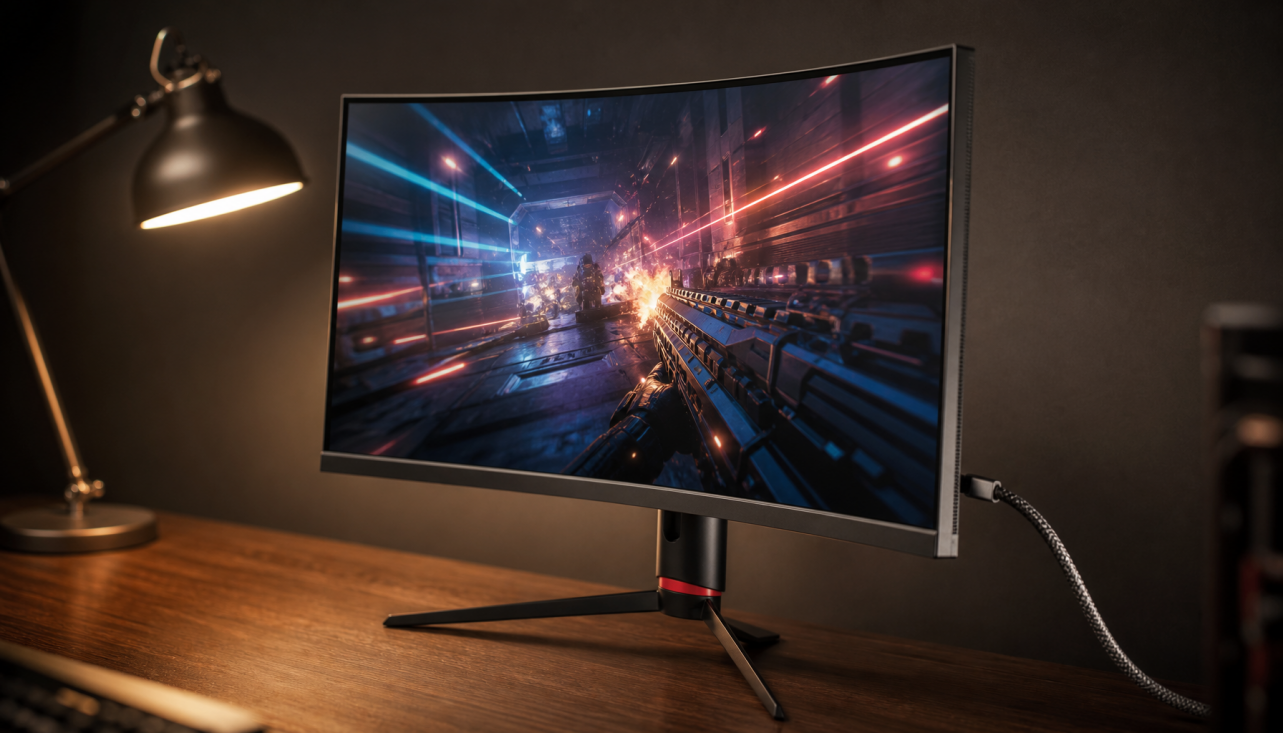
360Hz monitors are not only about locking 360fps. They reduce display delay, improve motion clarity, and give competitive players more usable headroom when frame rates spike, dip, or vary.
Ever flick onto an opponent in a fast shooter and feel like the target moved between your hand and your screen? A 360Hz display refreshes about every 2.78 ms, while a 240Hz display refreshes about every 4.16 ms, so the best-case visible update window is shorter even before the rest of the PC pipeline is involved. The real question is whether 360Hz is a performance tool for your setup or an expensive spec you will barely use.
The Simple Math Behind 360Hz
Refresh rate is how many times per second a monitor can update its image. Frame rate is how many frames per second your PC actually renders. They are related, but they are not the same thing.
A 360Hz monitor can show up to 360 unique frames per second if the PC supplies them. If your game runs at 180fps, the monitor does not create true 360fps gameplay. But it can still scan out frames within a shorter refresh window, support smoother variable refresh behavior, and reduce the maximum wait before a newly rendered frame can appear.
The strongest case for 360Hz starts with latency. Independent display testing shows that higher refresh rates can reduce possible input lag, while also making clear that refresh rate alone does not guarantee a low-lag monitor. In one tested comparison, the minimum input-lag window drops from 2.09 ms at 240Hz to 1.39 ms at 360Hz. That is a small number, but it matters in reaction-heavy play where every stage of the chain adds up: mouse polling, CPU work, GPU render time, display scanout, pixel response, and your own reaction.
Refresh rate |
Time per refresh |
Practical meaning |
144Hz |
About 6.94 ms |
Strong mainstream gaming smoothness |
240Hz |
About 4.16 ms |
Competitive sweet spot for many players |
360Hz |
About 2.78 ms |
Extra latency and motion headroom for esports |
500Hz |
About 2.00 ms |
Specialist tier with sharper diminishing returns |

Why Build 360Hz If Many Games Miss 360fps?
Competitive Games Are Different
Most gamers cannot hold 360fps in visually demanding open-world games. That is not the target. 360Hz monitors are built for games where players often lower settings to reduce clutter, boost frame rate, and prioritize response over cinematic detail.
Fast competitive shooters are the natural home for 360Hz. Higher rendered frame rates can reduce input lag because the game engine gets more frequent chances to process input, but 360Hz is mainly worthwhile for serious competitive players rather than casual users.

Here is the practical example: if your system fluctuates between 260fps and 390fps in a competitive shooter, a 240Hz screen caps how many of those visible updates you can benefit from. A 360Hz screen lets more of those high-frame moments reach your eyes, and it lowers the refresh interval even when you are not perfectly locked to 360fps.
Frame-Time Headroom Matters More Than a Perfect FPS Counter
The “must hit 360fps or it’s wasted” argument is too rigid. A display is not a pass/fail device. Running at 280fps on a 360Hz screen is still above 240fps, and with variable refresh rate active, the monitor can better match the GPU’s output timing instead of forcing frames into a fixed cadence.
Variable refresh rate is the practical bridge here. It synchronizes the monitor’s refresh timing with the GPU’s delivered frames, reducing tearing and making uneven frame rates feel cleaner. A high-refresh monitor with a useful variable refresh range can feel better than a fixed-refresh setup when your FPS bounces during smoke, explosions, crowded fights, or CPU-heavy moments.
That said, variable refresh rate is not a cure-all. If your PC spends most of a match at 130fps, a 360Hz panel is not giving you the same benefit as a player holding more than 300fps. In that case, money is usually better spent on a stronger CPU, GPU, or a better-balanced 144Hz or 240Hz monitor.
The Big Benefit Is Smaller Than the Marketing Suggests
The jump from 60Hz to 144Hz is dramatic. The jump from 144Hz to 240Hz is noticeable, especially in shooters. The jump from 240Hz to 360Hz is more like fine-tuning.
KTC’s high-refresh guidance frames 144Hz as the broad gaming sweet spot and 240Hz as the more competitive tier, while noting that very high refresh rates such as 240Hz and 360Hz bring diminishing returns. That matches hands-on display testing: the first move away from 60Hz changes how the whole desktop and game world feel; the move to 360Hz mainly sharpens tracking, micro-corrections, and fast camera movement.
Long-term 360Hz upgrade reports often reach a similar conclusion from daily use. 360Hz can feel smoother and more responsive in competitive games, but the improvement over 144Hz or 240Hz is much smaller than the original 60Hz-to-144Hz leap. The important detail is not that 360Hz is fake. It is that 360Hz is specialized.
Why CPU Bottlenecks Often Stop 360fps
At very high frame rates, the CPU becomes a bigger deal than many buyers expect. Lowering graphics settings can reduce GPU load, but the processor still has to handle game logic, draw calls, physics, networking, and feeding the GPU fast enough.

This is why a top-tier graphics card does not guarantee 360fps. In one 360Hz test setup, a high-end graphics card still struggled to stay far above 200fps in some competitive scenarios until the CPU was upgraded. That is a familiar pattern: once resolution and visual settings are reduced, the GPU may wait on the CPU instead of running flat out.
Before buying a 360Hz monitor, run a real benchmark in the games you actually play. Use a repeatable match, practice range, replay, or built-in benchmark if available. Watch average FPS, 1% lows, and frame-time consistency, not just the highest number that flashes in a corner. If your 1% lows are around 170fps, a 360Hz panel will not feel like a 360Hz experience.
Motion Clarity Also Depends on Pixel Response
Refresh rate says how often the screen updates. Pixel response says how quickly the pixels change to the new image. A slow panel can be high-refresh on paper and still look smeared in motion.
That is why many of the most convincing 360Hz and higher displays now use OLED. High-refresh monitor testing often highlights QD-OLED and WOLED models because they combine extreme refresh rates with very fast response times, strong contrast, and better HDR than typical LCD esports panels. A 360Hz OLED can look clearer in motion than a 360Hz LCD with weaker pixel transitions or aggressive overdrive artifacts.

There are trade-offs. OLED can cost more, carries burn-in considerations, and may have text-clarity quirks depending on subpixel layout. LCD alternatives can be cheaper and safer for static office-heavy use, but motion clarity varies widely by panel tuning. For mixed productivity and gaming, the right answer may be a fast IPS or a 240Hz OLED rather than chasing the highest number.
Pros and Cons of 360Hz Monitors
The Upside
A 360Hz monitor can reduce display-side latency, improve motion clarity, and make fast aim corrections feel more immediate. In esports titles, that can make tracking a strafing opponent easier and reduce the feeling that the screen is slightly behind your mouse.
It also gives headroom. If your game sometimes reaches 300fps or more, a 360Hz panel lets you see more of that performance than a 240Hz model. For players who train daily, compete in ranked ladders, or care about consistency under pressure, that refinement can be worth paying for.
The Downside
The value curve is steep. A 360Hz monitor often costs more than a strong 144Hz or 240Hz display, and the money may produce a bigger improvement elsewhere. If your CPU cannot sustain high frame rates, the monitor becomes underused. If you play mostly single-player games, higher resolution, better HDR, deeper contrast, or a larger screen may change the experience more.
There is also the resolution trade-off. Many players moving to 360Hz choose 1080p or 1440p instead of 4K because lower resolution is easier to drive at high FPS. That is smart for competition, but it can feel like a downgrade for browsing, editing, and immersive big-budget games.
Who Should Buy 360Hz?
A 360Hz monitor makes sense if competitive shooters are your main games, your PC can regularly push well above 240fps, and you already value low-latency settings over maximum visual quality. It is especially logical for high-ranked players, esports teams, aim trainers, and users who can feel small differences in mouse-to-screen response.
It is less compelling if you are on a midrange PC, play mostly story games, use a console, or spend most of your time in office apps. For office work, 60Hz is usually adequate, while 120Hz or higher can make scrolling feel smoother. For productivity-focused users, resolution, text clarity, brightness, ergonomics, USB-C, and KVM support often matter more than 360Hz.
A practical buying rule is simple: if you are on 60Hz, upgrade to 144Hz or 165Hz first. If you are already on 144Hz and play competitive shooters seriously, test 240Hz before jumping to 360Hz. If 240Hz already feels excellent and your frame-rate lows do not approach 300fps, 360Hz is probably a luxury rather than a priority.
Why They Exist Anyway
360Hz monitors exist because the top end of gaming display design is built for narrow advantages, not average use. Motorsport technology does not start with commuter needs; esports display technology works the same way. The hardware pushes latency, response time, scanout behavior, panel electronics, and GPU-interface standards forward.
The best 360Hz monitors are not pointless just because most players cannot hold 360fps. They are precision tools for the players and games that can use them, and they create a performance ceiling that future CPUs, GPUs, panels, and game engines can grow into.
For most buyers, the smart play is not “highest Hz wins.” It is matching refresh rate to your real FPS, your game library, your sensitivity to motion, and the display qualities you notice every day. A well-chosen 144Hz or 240Hz screen can be the better value; a 360Hz monitor earns its place when speed is the job, not just the spec.