In 2026, many households are moving away from single-purpose portable smart TVs toward versatile smart lifestyle screens that support active interaction, room-to-room mobility, and secure app use. These multi-functional displays better match modern demands for fitness workouts, kitchen assistance, video calls, and shared entertainment without the friction of remotes or limited software.

Beyond the Remote: Why Traditional Portable TVs Are Losing Their Edge
Traditional portable TVs were designed primarily for passive viewing with a remote. In today's touch-first world, that creates a noticeable interaction gap. Pausing a workout video, scrolling a recipe, or switching apps often feels clunky when you must hunt for a remote instead of tapping the screen directly.
This gap becomes especially obvious during active tasks. A remote adds seconds of delay and breaks flow, while a responsive touchscreen lets you interact naturally. The lifestyle shift is moving users toward screens that serve as responsive companions rather than fixed entertainment boxes.
Users who primarily watch movies from a couch may still find a basic portable TV adequate. However, anyone who needs the screen to support workouts, cooking, or multitasking will quickly feel limited by remote-only controls and narrower software ecosystems.
Portable Smart TV vs. Smart Monitor: The 2026 Comparison
The core difference comes down to how each device is meant to be used. Portable smart TVs emphasize passive streaming with simpler interfaces like Google TV. Smart monitors, especially those built as lifestyle screens, prioritize active use with full Android systems, touch input, and productivity features.
Technically, smart monitors often deliver higher pixel density for sharper text during work and lower input lag for smoother video calls or fitness apps. Physically, a rolling "tablet on wheels" design makes moving between rooms far easier than carrying or repositioning a kickstand-based TV.
OS differences matter too. Google TV works well for lean-back viewing, but Android with EDLA certification supports a wider range of productive and secure apps. As this official guide to Google EDLA certification explains, the certification ensures native Play Store access and stronger enterprise-grade security.
Which Category Best Fits an Active, Multi-Room Lifestyle in 2026?
A tiered comparison of fit factors for active, multi-room use. Higher tiers indicate a better match on that axis, not a precise measured score.
View chart data
| Series | Interaction Model | OS Flexibility | Mobility | Display Performance |
|---|---|---|---|---|
| Tier fit | 3.0 | 5.0 | 2.0 | 2.0 |
This radar chart helps visualize the pattern: smart lifestyle screens tend to lead when mobility and direct interaction are priorities. Portable smart TVs can still suit simple streaming, but they fall short for users who need one device to handle multiple active roles.
Don't buy a traditional portable TV if your days involve frequent room changes, touch-based apps, or work calls. In those cases, a smart monitor with rolling stand and full app support usually removes more daily friction.
The 32-Inch Command Center: Fitness, Cooking, and the Home Office
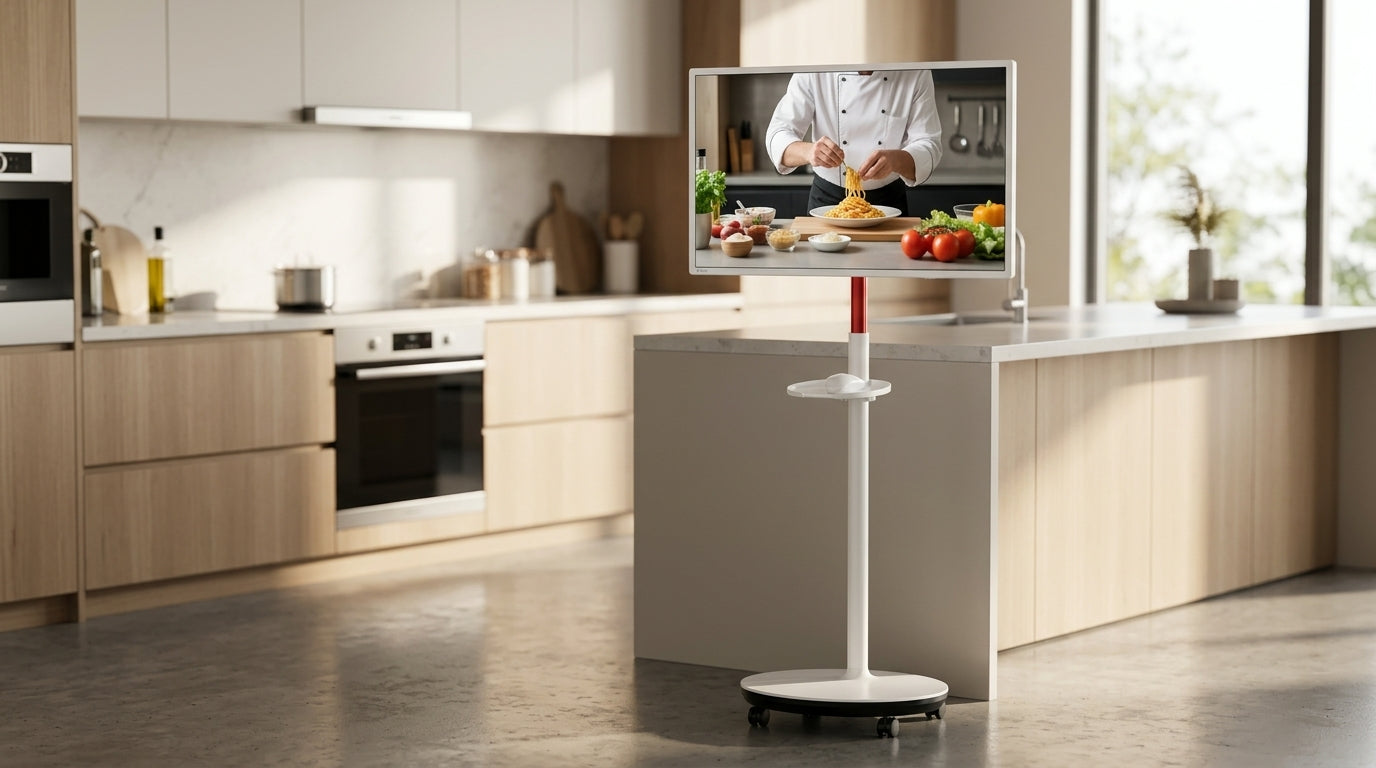
A 32-inch smart lifestyle screen on wheels shines in real daily scenarios because its size, mobility, and features solve specific problems that smaller or fixed screens cannot.
For home fitness, the larger screen provides clear floor-to-ceiling visibility during guided classes even when you're lying on a mat. IPS panels help maintain color and brightness from wide angles, so the image does not wash out when viewed from the floor. This makes a mobile touch screen monitor far more practical than a static TV for workout flow.
In the kitchen, mechanical pivot rotation turns a vertical recipe feed or social video into the perfect orientation without awkward tilting. You can wheel the screen to the counter, rotate it, and follow along with minimal hand contact thanks to responsive touch. This capability directly addresses the common frustration of horizontal-only screens when content is formatted vertically.
For home office use, the same device becomes a secure secondary screen for video calls. With Google EDLA certification, it supports native apps like Zoom or Teams with better peace of mind for any work that involves sensitive information. The mobility means you can move it to the best light or angle rather than being locked to one desk setup.
These scenarios show why the decision often hinges on your "anchor" activity. If fitness or cooking is central, prioritize viewing angles and rotation. If video calls dominate, resolution and certified app support become the first check.

What to Look For in 2026: Battery, OS, and the Importance of Google EDLA
Not every spec delivers equal value in a mobile lifestyle screen. Focus first on the features that directly affect daily reliability and security.
Google EDLA certification acts as the trust floor for 2026 smart displays. It guarantees official Google Play Store access and built-in security features like Google Play Protect. Without it, many productivity or banking-related apps may be unavailable or carry higher risk. As the EDLA certification guide details, this standard separates professional-grade devices from basic portable options.
IPS panels are nearly mandatory for mobile use. They deliver 178° viewing angles, which keeps the picture consistent whether you're standing at a kitchen counter, sitting on the floor for yoga, or sharing the screen with family from different positions. TN or VA panels often lose color or brightness at these off-angles, making them poor fits for non-desk environments.
Battery life requires realistic expectations. While some units advertise longer runtimes, real-world premium lifestyle screens typically deliver 3–8 hours depending on brightness, volume, and app demands. High-intensity fitness sessions with maximum screen brightness can drain power faster, so plan to keep a charger nearby for longer activities. Treat manufacturer "up to" figures as best-case planning guidelines rather than guaranteed minimums.
Connectivity rounds out the essentials. Look for WiFi 6 support for stable streaming, USB-C for single-cable video and power delivery, and Bluetooth for easy pairing with headphones or speakers. These standards reduce lag and simplify setup across rooms.
A quick self-check before buying: list your two most frequent use cases, then verify the screen has IPS angles, EDLA (if work or secure apps matter), and sufficient battery for your longest untethered session. If any of these is missing, the device may create more frustration than convenience.
Choosing Your Lifestyle Screen: Is the KTC MegPad Right for You?
Match the screen size and features to your primary scenario rather than chasing the largest option. The KTC MegPad series offers clear paths based on how you plan to use it.
The KTC MEGAPAD 32" 4K Android 13 Google EDLA Smart Touch Monitor with 9500mAh Battery suits fitness-first or family-shared spaces best. Its larger 4K panel delivers excellent visibility for workouts or group viewing, while the rolling stand and long-life battery support easy movement between living areas.
For home-office or travel users who value lighter weight and sharper text at closer distances, the KTC MEGAPAD 27" FHD Android 14 Google EDLA Smart Touch Monitor with 9500mAh Battery or the 25-inch travel model often feels more practical. These maintain strong EDLA app support and battery performance while being easier to reposition frequently.
Choose by anchor scenario: work-first buyers should lean toward higher resolution and the latest Android version for productivity apps. Home-first users gain more from the 32-inch size and rotation features that excel in kitchen and fitness roles. In either case, confirm the model includes IPS, EDLA certification, and a stable rolling base before purchase.
The lifestyle shift toward these responsive, mobile screens appears permanent for active households. Traditional portable TVs still work for simple lean-back viewing, but they increasingly fall short when one device must adapt across entertainment, productivity, and daily tasks. Checking your main use case first helps avoid buying a screen that ends up parked in one room like an old TV.
Frequently Asked Questions
Can a portable smart monitor fully replace a portable smart TV?
It depends on your primary need. If you mainly stream movies from a couch, a dedicated smart TV may still feel simpler. For active use across fitness, cooking, video calls, and multitasking, a smart monitor with touch, rotation, and EDLA usually removes more friction and offers greater versatility in 2026.
How long does the battery really last on lifestyle screens like the MegPad?
Real-world runtime typically falls in the 3–8 hour range for premium models. Factors like high brightness during workouts or continuous video streaming reduce this from advertised maximums. Treat battery life as a planning range and keep charging options handy for longer sessions.
Why does Google EDLA certification matter for a portable screen?
EDLA ensures official access to the full Google Play Store and stronger security protections, which is critical if you plan to run work apps, video conferencing, or any service handling sensitive data. Non-certified devices often have limited or sideloaded apps and may not receive the same enterprise-grade safeguards.
Is a 32-inch screen on wheels practical for kitchen or fitness use?
Yes—its size provides clear visibility from floor level or across a counter, while the wheeled stand and pivot rotation let you position it exactly where needed without permanent installation. This form factor directly solves common frustrations with fixed or poorly angled smaller screens.
What should I check first when comparing portable smart TVs to smart monitors?
Start with your anchor scenario (fitness, kitchen, office), then verify IPS viewing angles, EDLA certification if security or specific apps matter, battery expectations for your longest session, and whether a rolling stand or simple kickstand better matches your room-to-room needs. This order prevents choosing a device that looks good on paper but fails in daily use.